WiFi Access Point
The WiFi Access Point page configures the gateway to act as a WiFi access point. Other devices can connect to the gateway's WiFi network, which can be useful for local access or providing connectivity to devices in the field.
No internet routing
The current software does not configure routing between the WiFi access point network and the gateway's upstream backhaul (Ethernet or LTE). Devices connected to the access point can reach the gateway itself but cannot use it for internet access.
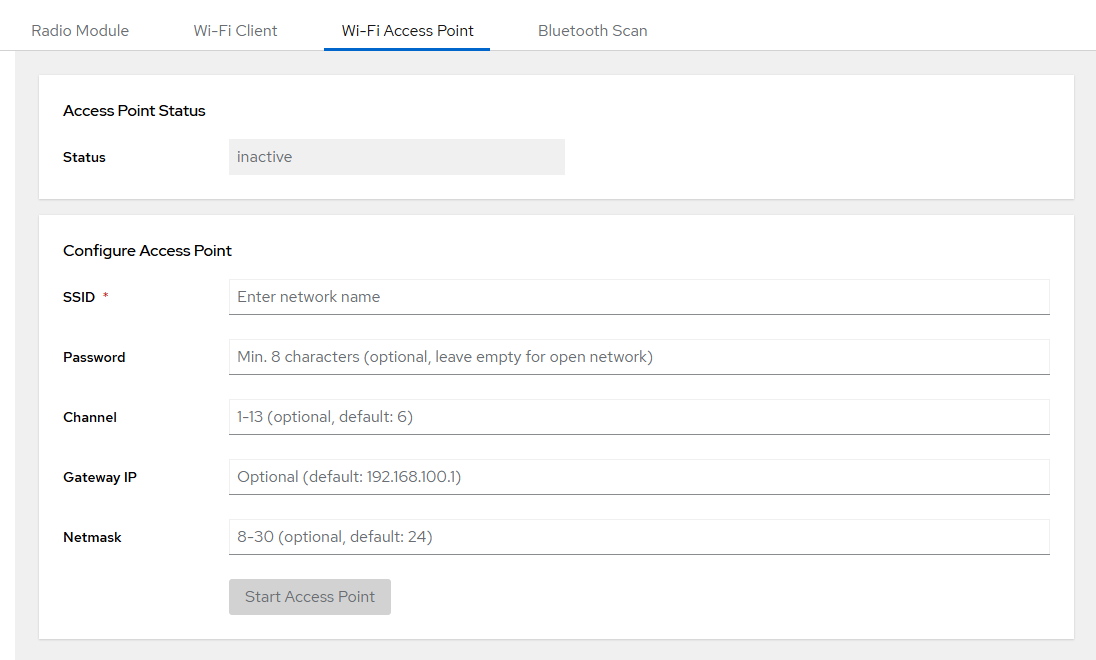
Configuration
| Parameter | Description | Default |
|---|---|---|
| SSID | Network name broadcast by the access point (required) | — |
| Password | WPA2 passphrase (optional; min. 8 characters). Leave empty for an open network. | — |
| Channel | WiFi channel 1–13 (optional) | 6 |
| Gateway IP | IP address of the gateway on the AP network (optional) | 192.168.100.1 |
| Netmask | Subnet mask in CIDR notation 8–30 (optional) | 24 |
Actions
| Button | Description |
|---|---|
| Start AP | Start the access point with the configured settings |
| Stop AP | Stop the access point |
