LTE
The LTE page provides modem status information and allows configuration of SIM cards, APNs, and automatic SIM switching. It has two tabs: Status and Configuration.
Hardware requirement
This section is only visible in Cockpit when an LTE modem is installed in the dedicated LTE modem slot. If no modem is present, this section will not appear.
Status
The Status tab shows read-only information about the LTE modem and connected SIM.
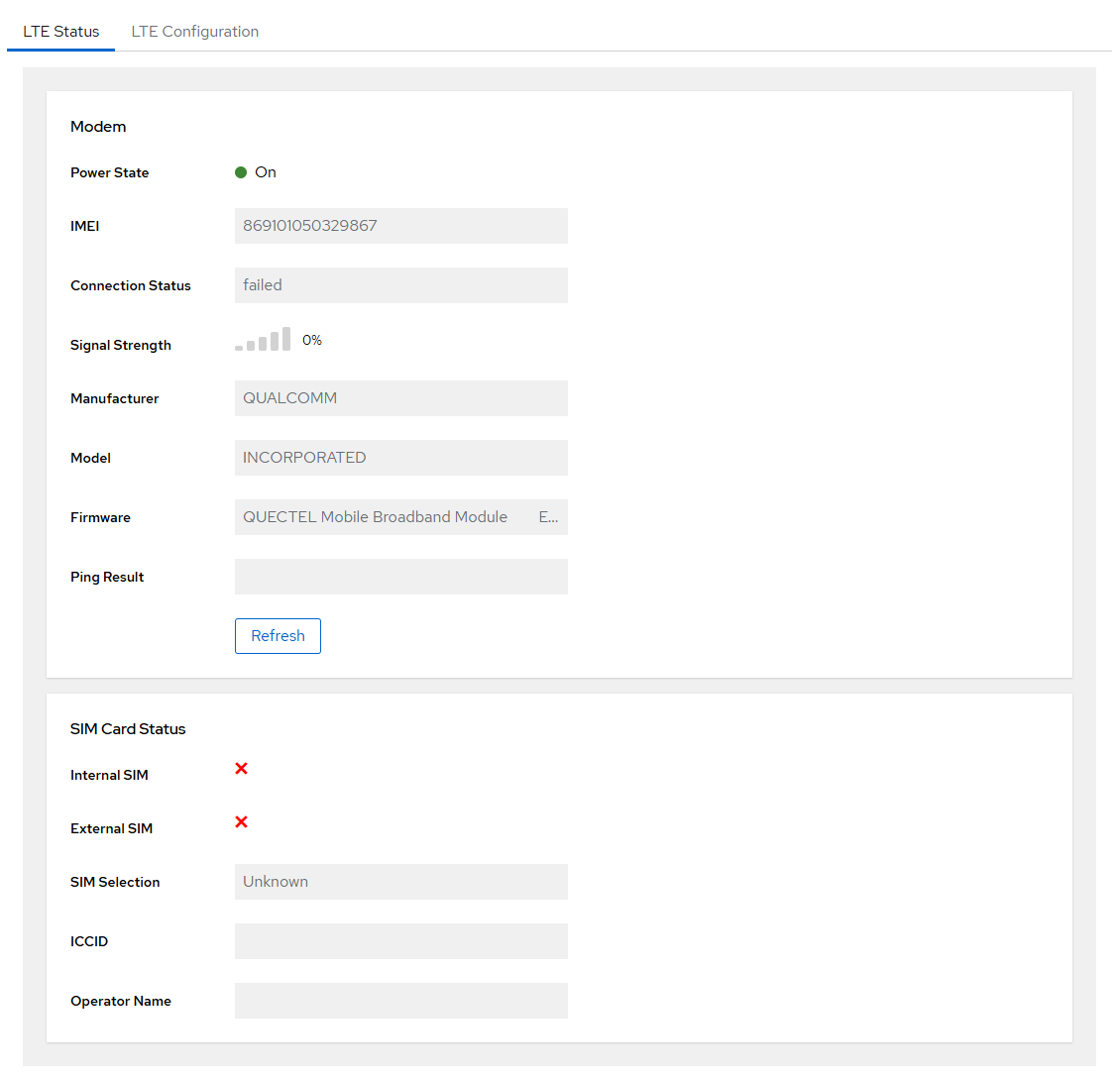
Modem Information
| Field | Description |
|---|---|
| Power State | Modem power state: on, low, or off |
| IMEI | Modem hardware identifier |
| Connection | Current connection status |
| Supported Bands | LTE frequency bands supported by the modem |
| Manufacturer | Modem manufacturer |
| Model | Modem model |
| Firmware | Modem firmware version |
SIM Information
| Field | Description |
|---|---|
| Selected SIM | Currently active SIM: internal or external |
| Internal SIM | Whether an internal SIM is present |
| External SIM | Whether an external SIM (nano SIM slot) is present |
| ICCID | SIM card unique identifier |
| Operator Code | MCC/MNC of the mobile operator |
| Operator Name | Name of the mobile operator |
Signal
The signal quality is displayed as a percentage (0–100%).
Ping Test
Run a connectivity test to verify the LTE connection is working.

Configuration
The Configuration tab controls SIM selection, APN settings, and automatic SIM failover.
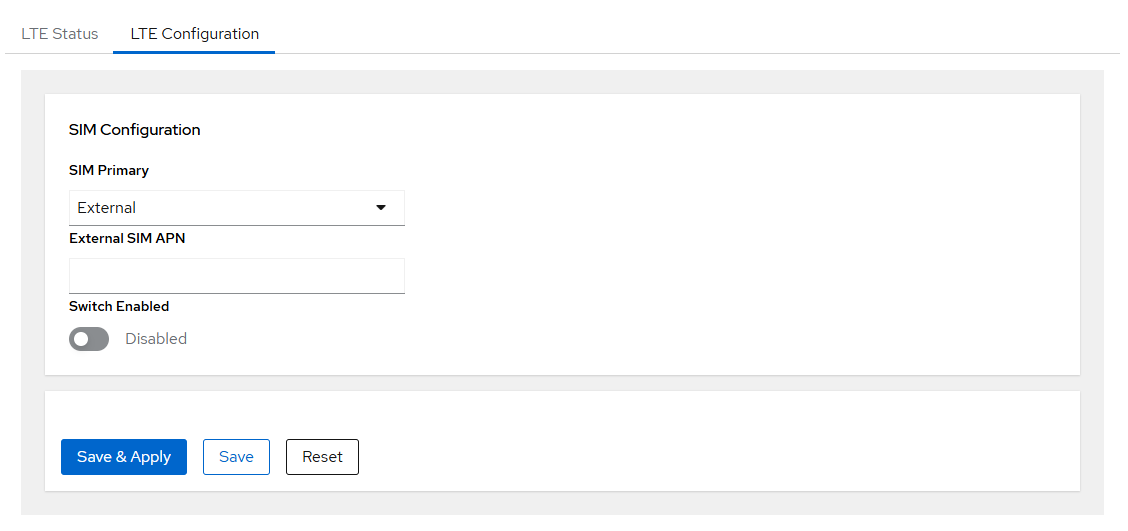
SIM Selection
| Parameter | Description | Options |
|---|---|---|
| Primary SIM | SIM used by default | internal, external |
| Secondary SIM | Fallback SIM when switching is enabled | internal, external |
APN Settings
| Parameter | Description |
|---|---|
| Internal SIM APN | APN for the internal SIM card |
| External SIM APN | APN for the external (nano) SIM card |
SIM Switching
The gateway supports two SIM cards (internal and external), but only one is active at a time. SIM switching can be enabled to provide automatic failover if the active SIM loses connectivity.
Switching behaviour:
- The gateway always starts with the primary SIM. If a connection is established, it remains on the primary SIM and no switching occurs.
- If the primary SIM fails to connect, the gateway switches to the secondary SIM and tries again.
- If neither SIM connects immediately, the gateway continues to toggle between them until a connection is established.
- Once connected on the secondary SIM, the gateway will periodically attempt to reconnect using the primary SIM (controlled by the Switch Interval). If the primary SIM succeeds, it takes over. If not, the gateway falls back to the secondary SIM and continues operating.
Warning
While attempting to reconnect on the primary SIM, the LTE backhaul connection is briefly interrupted.
| Parameter | Description | Default |
|---|---|---|
| Enable SIM Switching | Activate automatic SIM failover | disabled |
| Check Interval | How often internet connectivity is verified by pinging external servers (seconds). If the check fails, the gateway attempts to re-establish the connection, which may include a modem reset to recover from unexpected failures. | 60 s |
| Reconnect Interval | Time to wait before retrying a SIM after a failed connection attempt (seconds) | 300 s |
| Switch Interval | How long to stay on the secondary SIM before attempting to return to the primary SIM (seconds) | 43200 s (12 h) |
Data usage
Each connectivity check consumes a small amount of mobile data. Choose the Check Interval carefully: a shorter interval reduces potential downtime but increases data consumption, while a longer interval reduces data usage at the cost of slower failure detection.