mioty
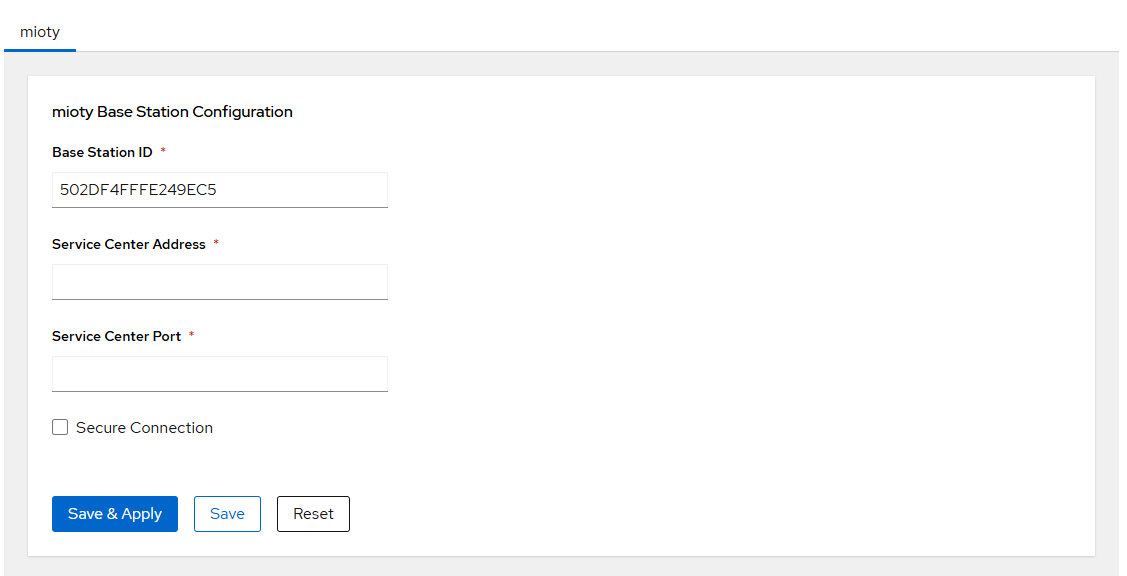
The mioty configuration page controls the connection between the mioty base station software and the mioty Service Center.
Hardware requirement
This section is only visible in Cockpit when a mioty EdgeCard is installed in one of the Edge Slots and has been detected. If no card is present or the slot is powered off, this section will not appear.
Applicable card:
| Card | Frequency |
|---|---|
| GWC-62-MY-868 | EU 868 MHz |
Base Station ID
The Base Station EUI defaults to an EUI derived from the device MAC address. It can be overridden manually if your mioty Service Center requires a specific value. Use the auto-derived value unless you have a specific reason to change it.
Service Center Connection
| Parameter | Description | Default |
|---|---|---|
| Service Center Address | Hostname or IP of the mioty Service Center | — |
| Service Center Port | TCP port of the Service Center | 1700 |
TLS Security
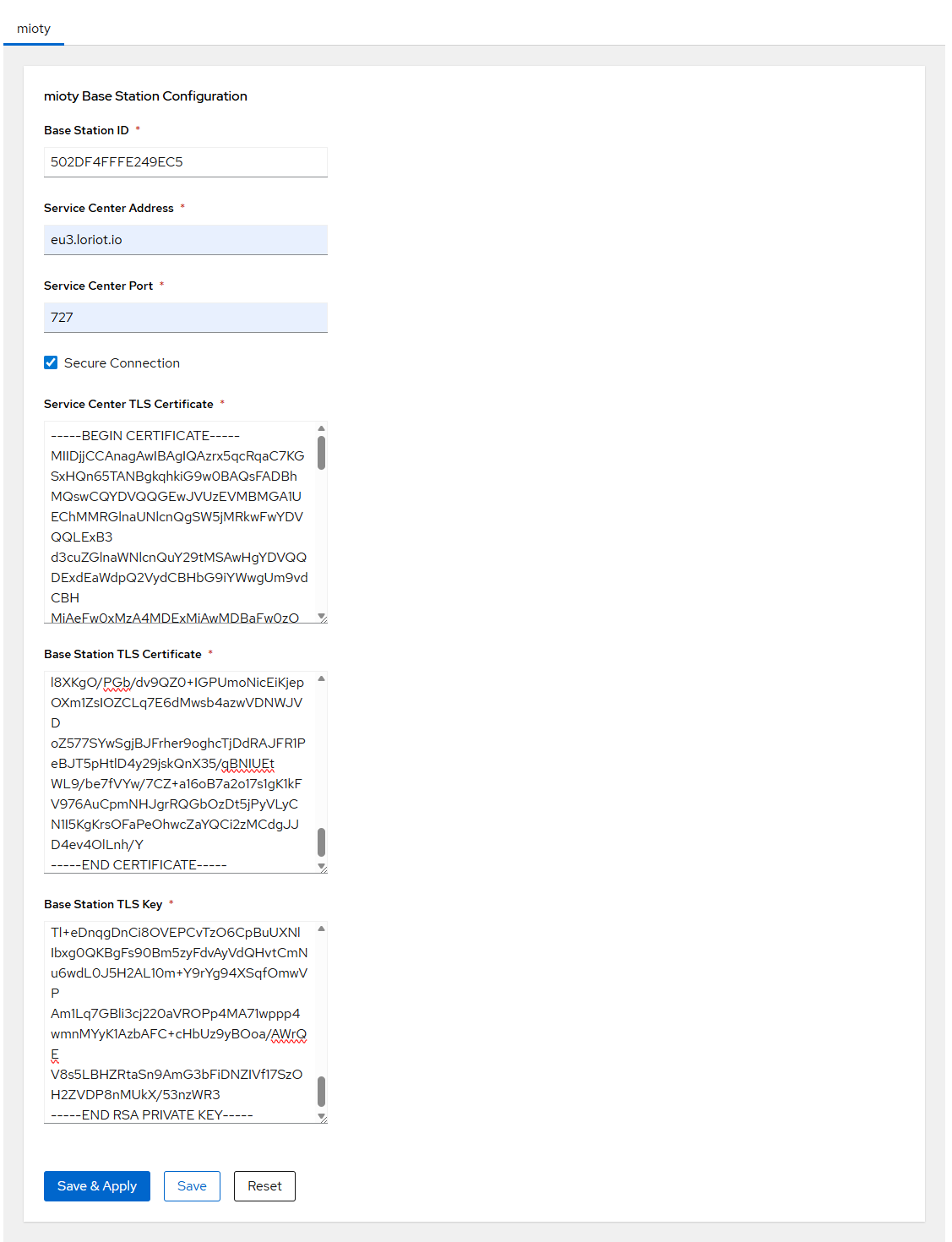
Enable Secure Connection to authenticate the base station to the Service Center using mutual TLS.
| Parameter | Description |
|---|---|
| Secure Connection | Enable TLS authentication |
| CA Certificate | Service Center root CA certificate |
| Base Station Certificate | Base station identity certificate |
| Base Station Key | Base station private key |
Note
Certificates must be uploaded in PEM format.
Tokens and keys after saving
After saving, token and key fields are shown empty for security reasons. The stored values are not lost — they remain active on the device until you explicitly enter and save a new value.